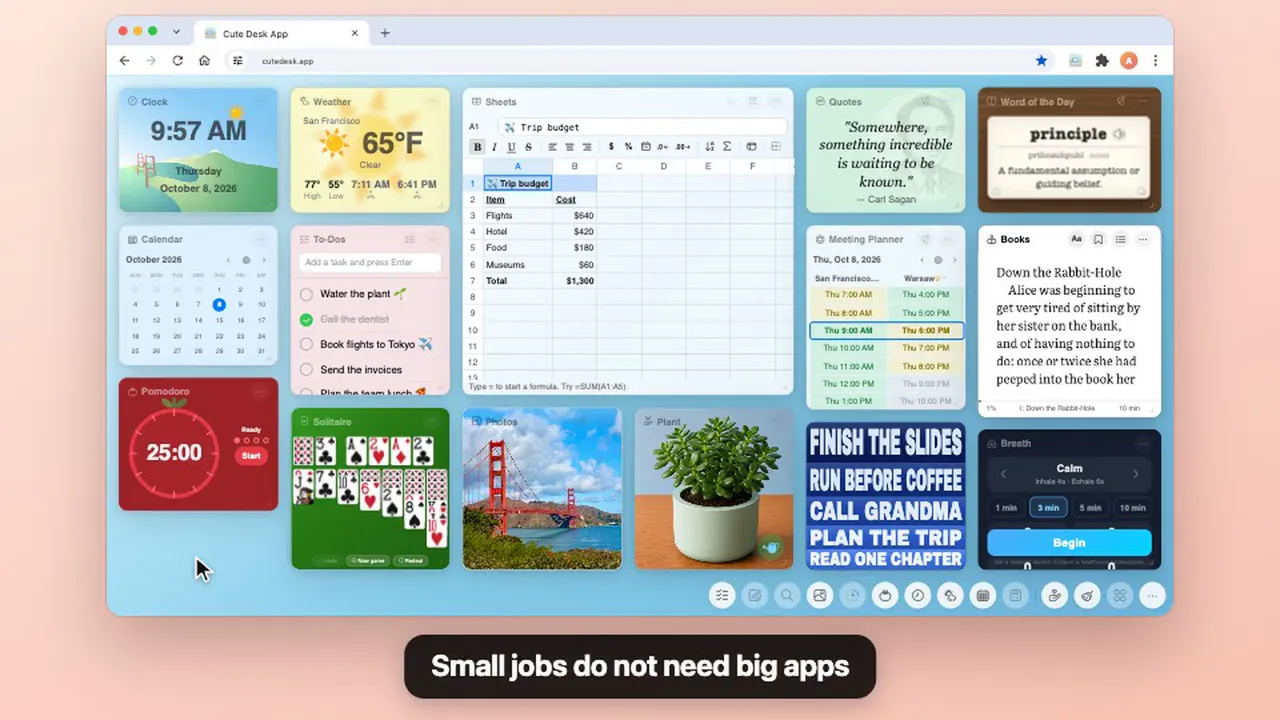
- The Books widget is an e-reader on your browser start page. Read a few pages every time you open a new browser tab, and it opens at the exact page where you stopped.
- It starts with my own book. It's a Computer is a true story about me, a boy in Arica, Chile, in 1984, and the computer that changed my life.
- A short book for short visits. 19 chapters of a few minutes each, so you can read one every time you open a new browser tab.
- Bring your own books. Add any DRM-free EPUB file, or download one from four free libraries listed right in the widget.
- Reading settings for every reader. Six fonts, including OpenDyslexic for readers with dyslexia, text size, line spacing, margins, five page colors, and Fast reading to read a little faster.
- Read aloud, bookmarks and a reading streak. The footer also shows how many minutes are left in the chapter.
- Free, no account, and your books stay on your computer.
Free. Everything stays on your computer. No account needed.
 Get the Chrome Extension
 Get the Safari Extension
The Books widget is a small e-reader on your browser start page, and the first book in it is mine. It is called It's a Computer, and it is a story that only I can tell.
A boy, a computer, and how his life was going to change
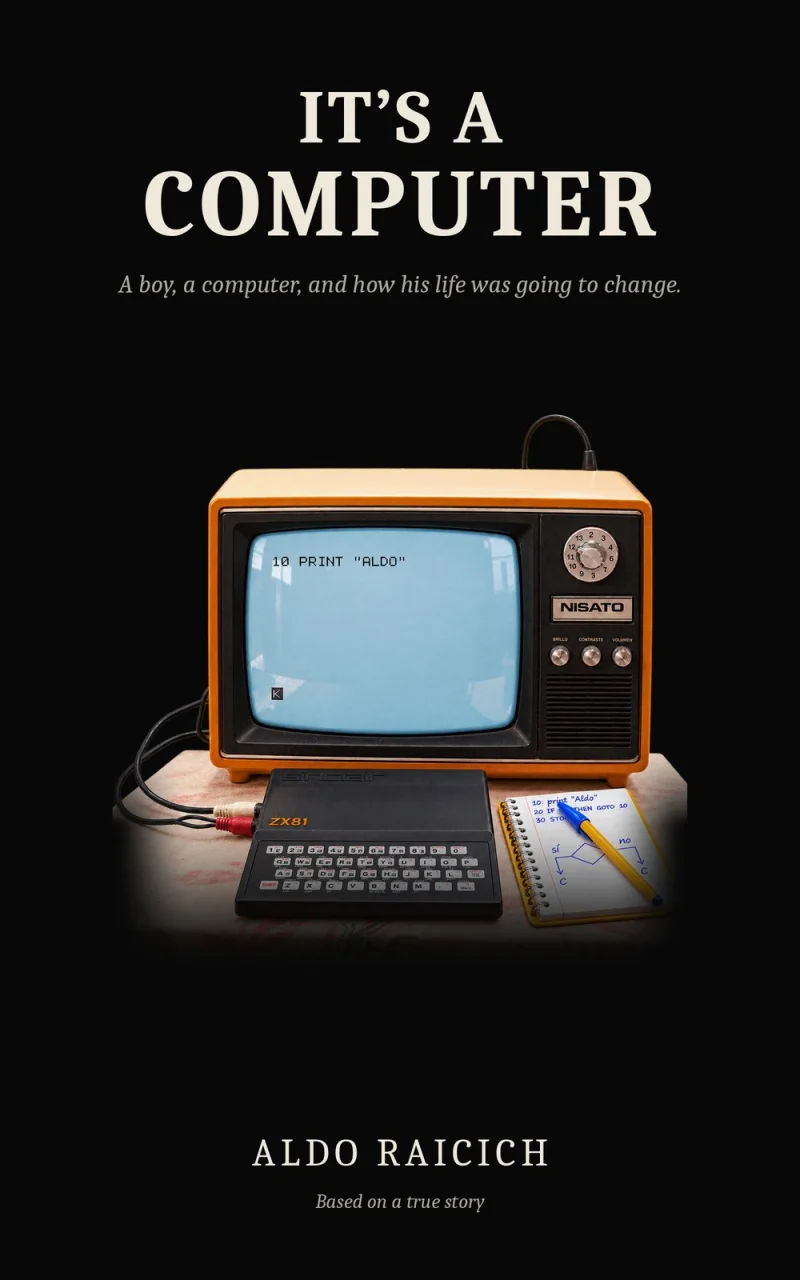
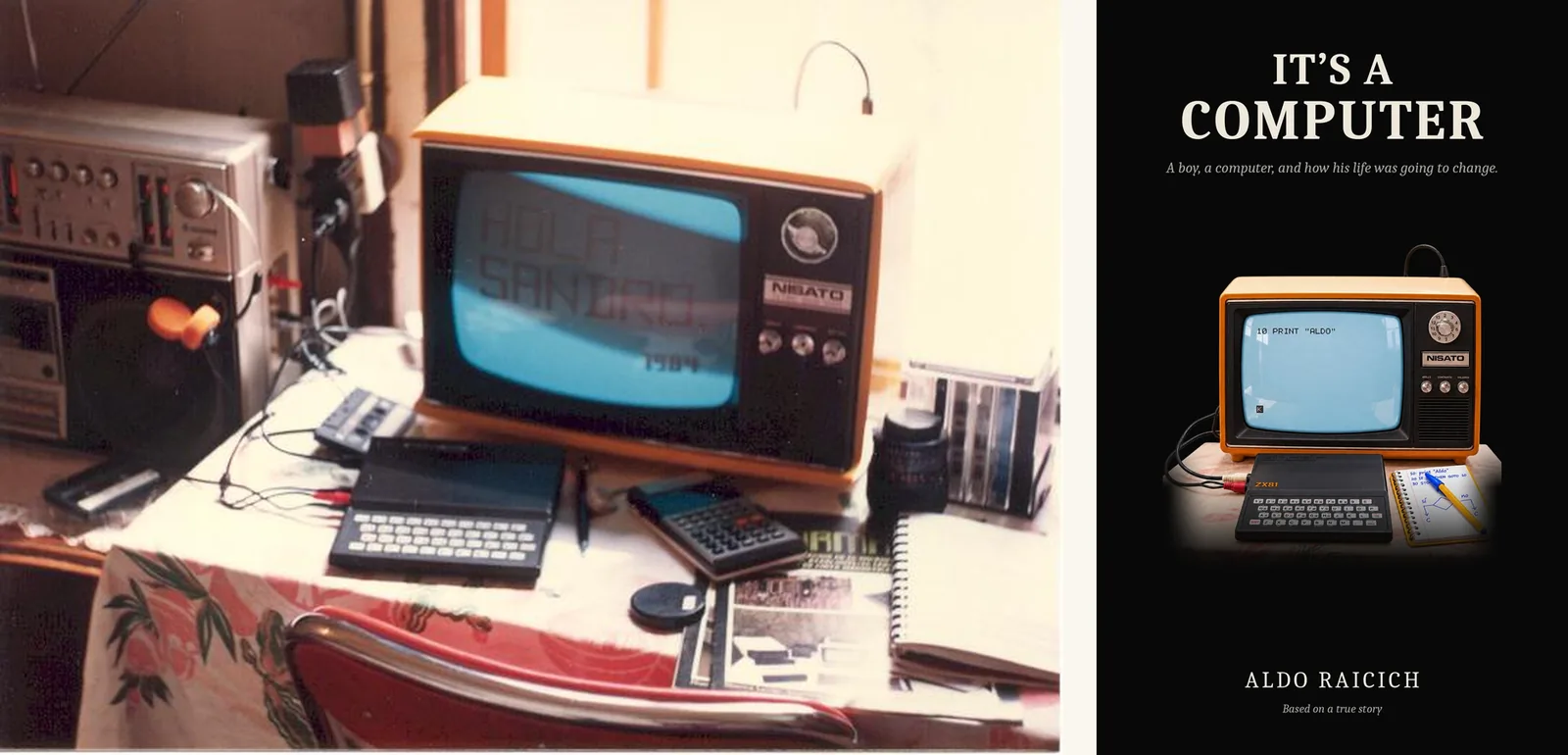
It's a Computer is a true story. It takes place in Arica, a dusty town in the far north of Chile, in 1984. A boy who is bad at soccer and bad at school is afraid of the boys who push him around after every game. Then his older brother comes home with something small and silver in his hands and says a word the boy has never heard: "It's a computer."
The boy teaches himself to program, alone, in a room with the door closed. And then the boys who bullied him come looking for him, because they want to play the game he built.
That boy is me. The book covers three years of my high school in Arica, and the computers in it are real: a Sinclair ZX81, an Atari 600XL, and the first Macintosh, which I only knew from a magazine ad. I carried this story for a long time and never thought I could put it on a page. English is not my first language, and I was the kid who could not sit with a schoolbook for one minute.
In October 2026 I finally wrote it, over nineteen days, with an AI as my writing partner. I told the story out loud, scene by scene, and decided every scene, the shape and the title. Claude, the AI from Anthropic, wrote the sentences with me, and I said what was wrong until every page sounded like me. I wrote about how that worked, with the numbers, on the book's own website, itsacomputer.aldos.life.
The book has 19 short chapters and is about 12,000 words. Most people read it in under an hour. It is free, and there is a Spanish edition too, Es un computador.
Inside the book
- A town in the desert. Arica sits at the edge of the driest desert in the world. The boys play soccer before class on a dirt field behind the high school, with two schoolbags for a goal.
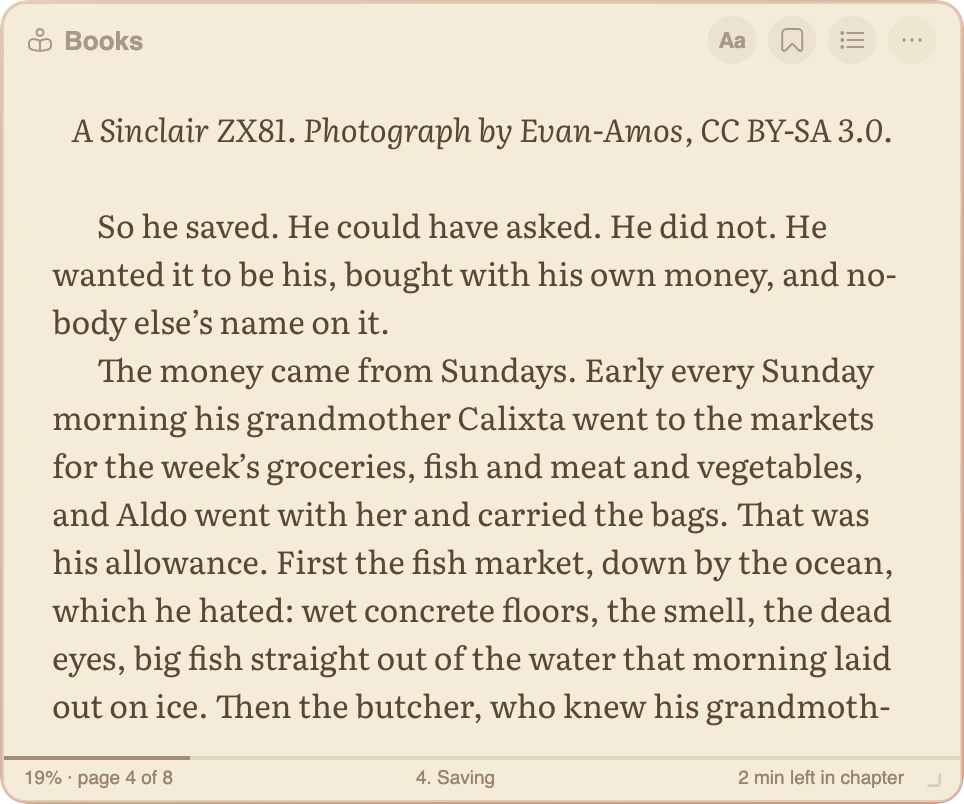
- A computer you save for. The boy wants a computer of his own, bought with his own money. He earns it carrying his grandmother's bags at the Sunday markets, the fish market first.
- Real machines. A Sinclair ZX81 on an orange television, an Atari 600XL, and the first Macintosh, seen only in a magazine ad.
- A closed door. The boy teaches himself to program alone in his room, one line at a time, until he builds a game.
- A turn nobody expects. The boys who pushed him around come to his door, because they want to play.
If you remember your first computer, or if you ever felt like the odd one out at 16 years old, I think you will see yourself in it.
What it is like to read a book in a new browser tab
Nobody sits down at a browser start page to read for two hours. You open a new browser tab to check something, and there is the book, at the exact page where you stopped. You read one page, or five. You close the tab. When you come back after a while, the widget says Welcome back and shows how many minutes are left in the chapter.
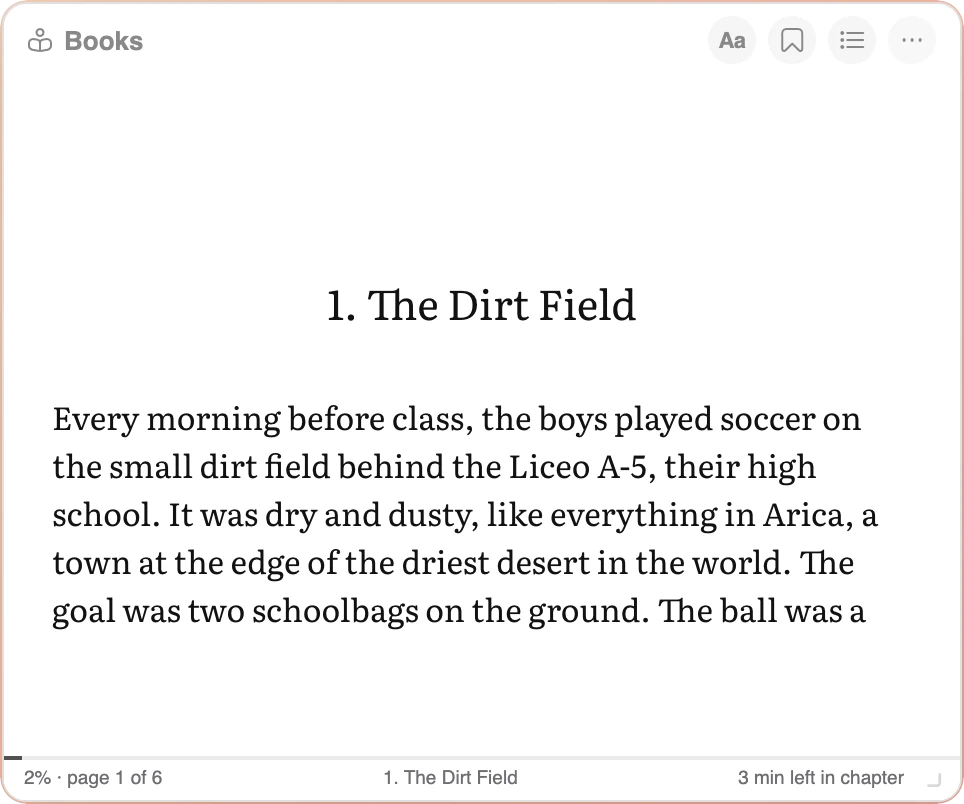
The pages turn one at a time, like on an e-reader. A click on the right or left side of the page, the arrow keys, the space bar, the mouse wheel or a swipe on the trackpad turns exactly one page.
A short book with short chapters fits this way of reading. Each chapter of It's a Computer takes a few minutes, so you can finish one between two emails. Little visits add up, and before the week is over you have read a whole book without ever setting time aside for it.
Reading settings: make the page fit your eyes
Everyone reads differently, so the Books widget lets you set up the page the way you like it. Press the Aa button at the top of the widget to open the reading settings. Every change shows on the page right away, and the widget remembers it for every book.
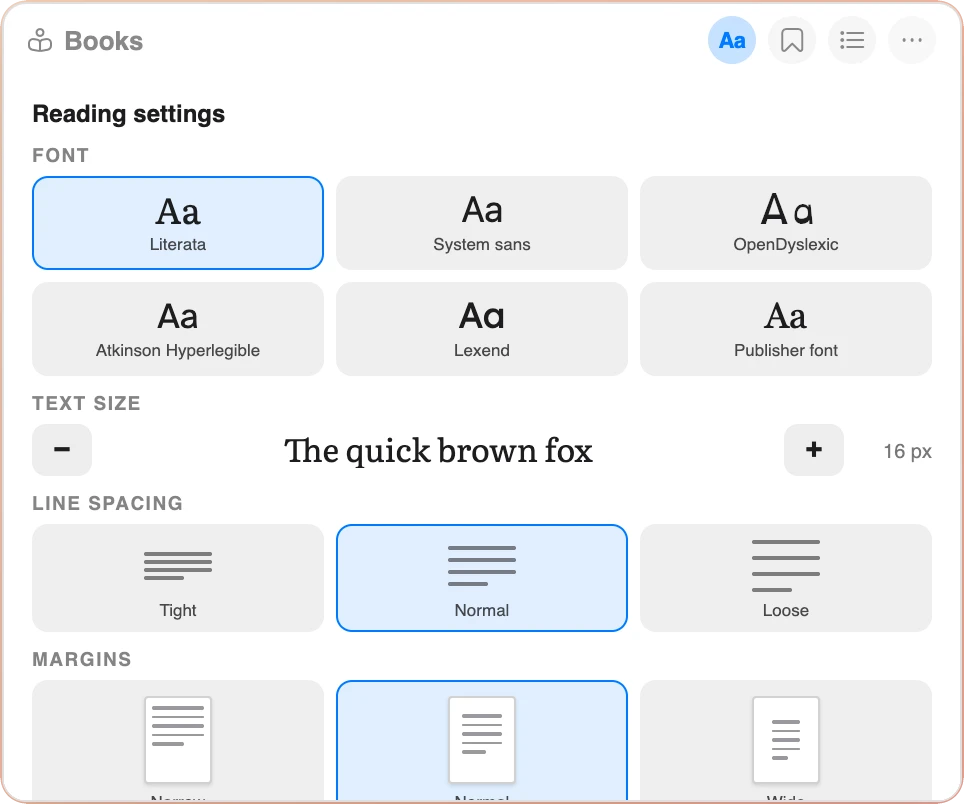
- Font. Six choices, each shown in its own letters: Literata, a font made for reading long text on a screen; your system font; OpenDyslexic; Atkinson Hyperlegible; Lexend; or the font that came with the book.
- Text size. Press − or + to make the letters smaller or bigger, from 12 to 32 pixels.
- Line spacing. Tight, Normal or Loose, with a picture of the lines for each.
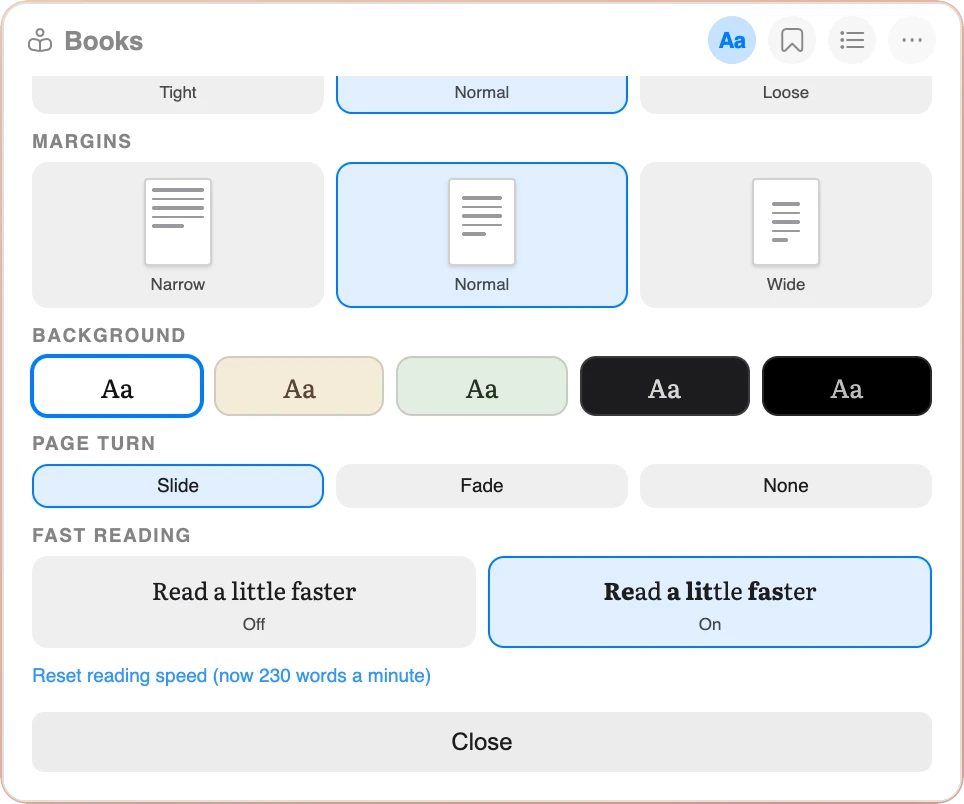
- Margins. Narrow, Normal or Wide, with a small page that shows each margin.
- Background. Five page colors: white, sepia, green, dark and black. Dark and black are easier on your eyes at night.
- Page turn. Slide, Fade or None.
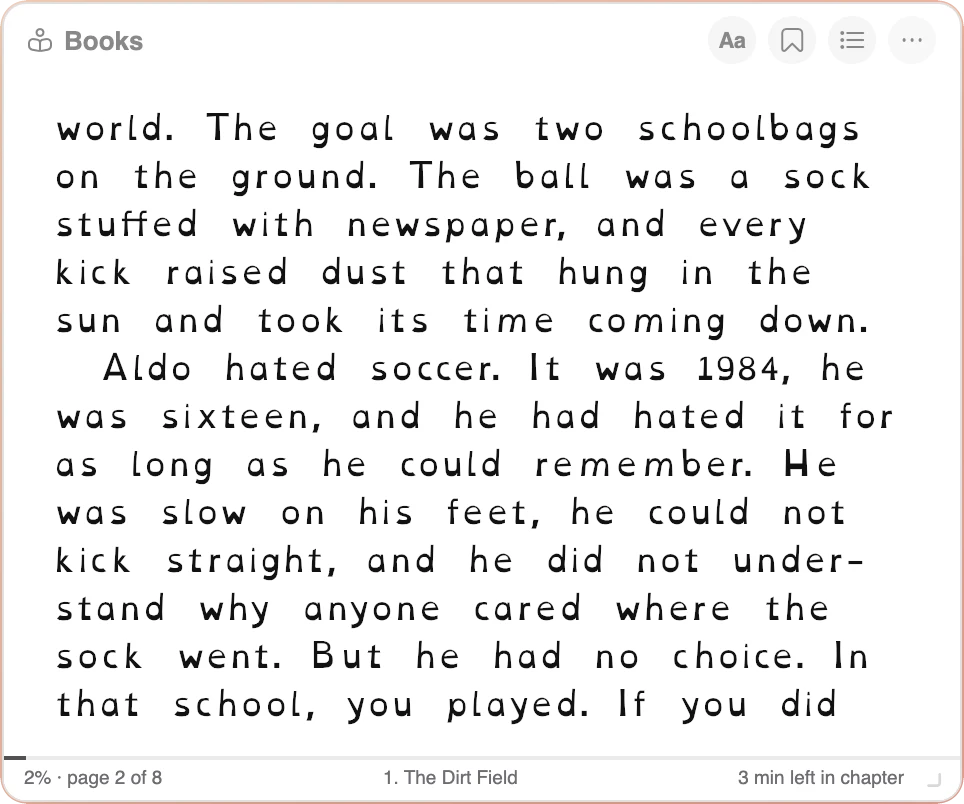
A font for readers with dyslexia
OpenDyslexic is a free font made for readers with dyslexia. The bottom of each letter is heavier, which helps keep the letters in place, and every letter has its own clear shape, so a b does not look like a d. Many readers with dyslexia find a page easier to follow with it. Choose OpenDyslexic in the reading settings and the whole book changes at once.
Two more fonts help in a similar way. Atkinson Hyperlegible, made by the Braille Institute, gives every letter a shape that is hard to confuse with another, which helps readers with low vision. Lexend has wide, open letters and more space between them, which many people find easier to read.
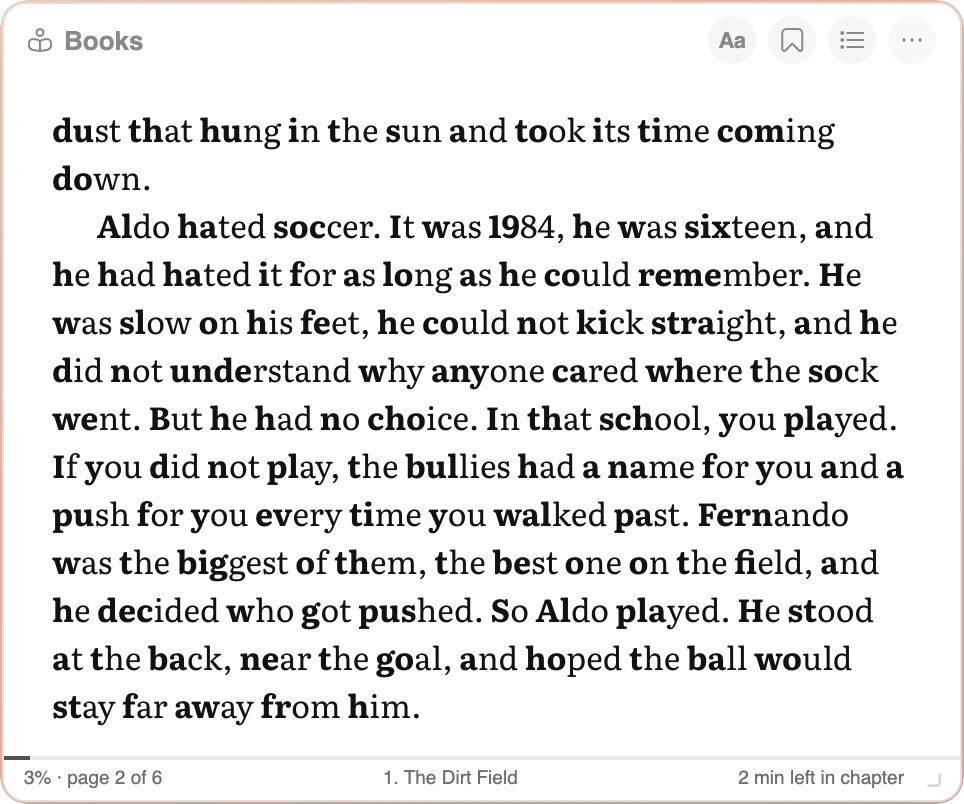
Fast reading: read a little faster
Turn on Fast reading and the first letters of every word are shown in bold. Your eyes jump from one bold part to the next, and your brain fills in the rest of the word, so you move along the line with less effort. Many people find they read faster and keep their place more easily, especially on a screen.
Try it for one chapter. If it is not for you, turn it off with one click. The widget also learns your own reading speed from how fast you turn the pages, and uses it to tell you how many minutes are left in the chapter.
Everything else the Books widget does
Your own books, kept in your browser
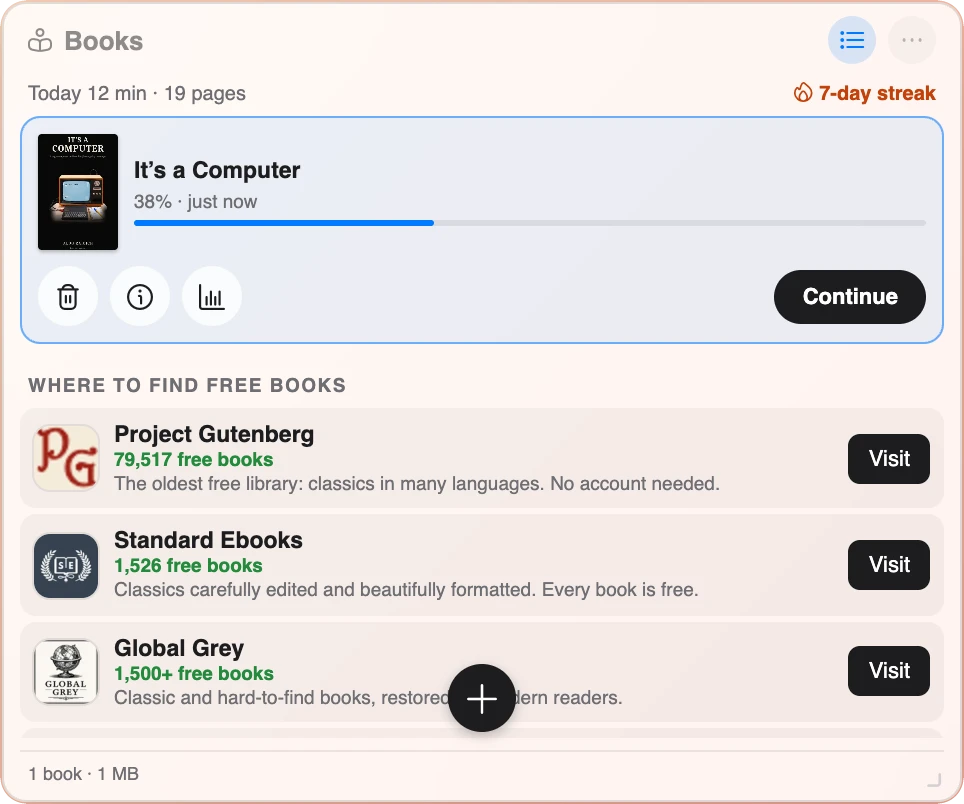
Add any DRM-free EPUB file with the + button, or drop it on the widget. The library keeps up to 40 books, with the one you read last at the top. The selected book has its own card with buttons to delete it, see its details and see your reading stats, plus a big Continue button.
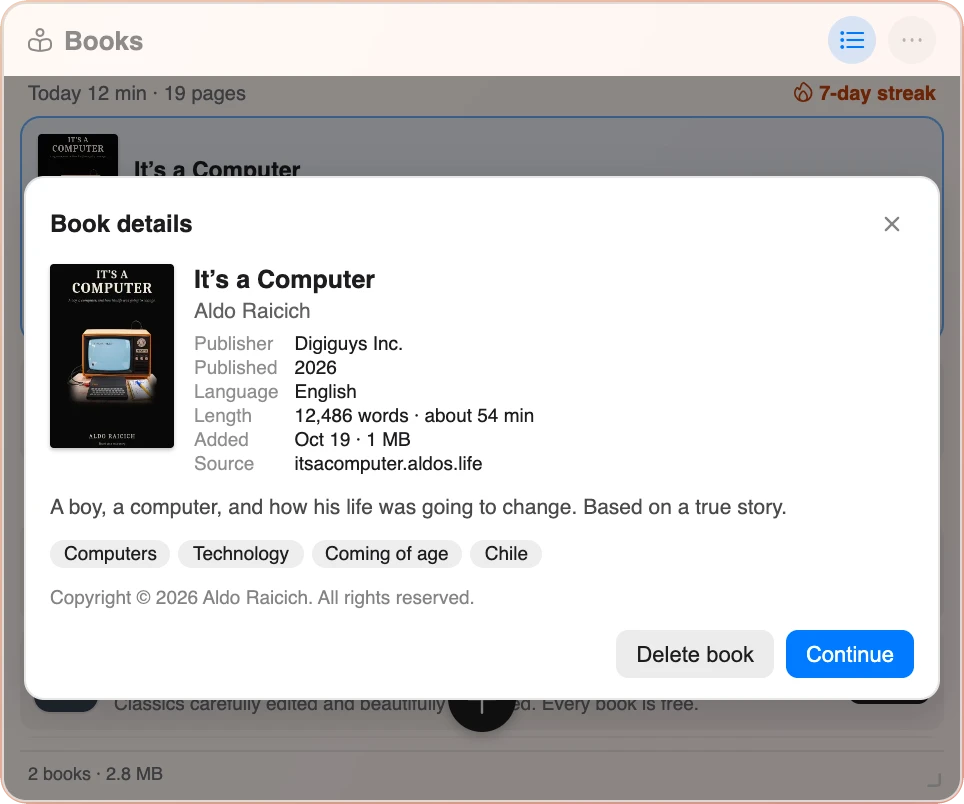
Book details shows the title, author, publisher, language, length in words and minutes, where the book came from, its subjects and its copyright line.
Your books are stored in your browser on your computer. There is no account and nothing is uploaded. A book can never load anything from the internet while you read it.
Where to find free books
Under your books, the library lists four free libraries with thousands of classics: Project Gutenberg, Standard Ebooks, Global Grey and Wikisource. Download an EPUB file from any of them, then drop it on the widget.
Read aloud
Choose Read aloud in the widget's menu and your browser reads the book to you. Each word is highlighted as it is spoken, and the page turns by itself. A small player lets you pause, go slower or faster, and choose the voice. Microsoft Edge has the most natural voices, and on a Mac you can add more voices in System Settings.
Bookmarks, time left and your reading streak
- Bookmarks. Mark any page with the bookmark button or the B key, and find it again in the Bookmarks list.
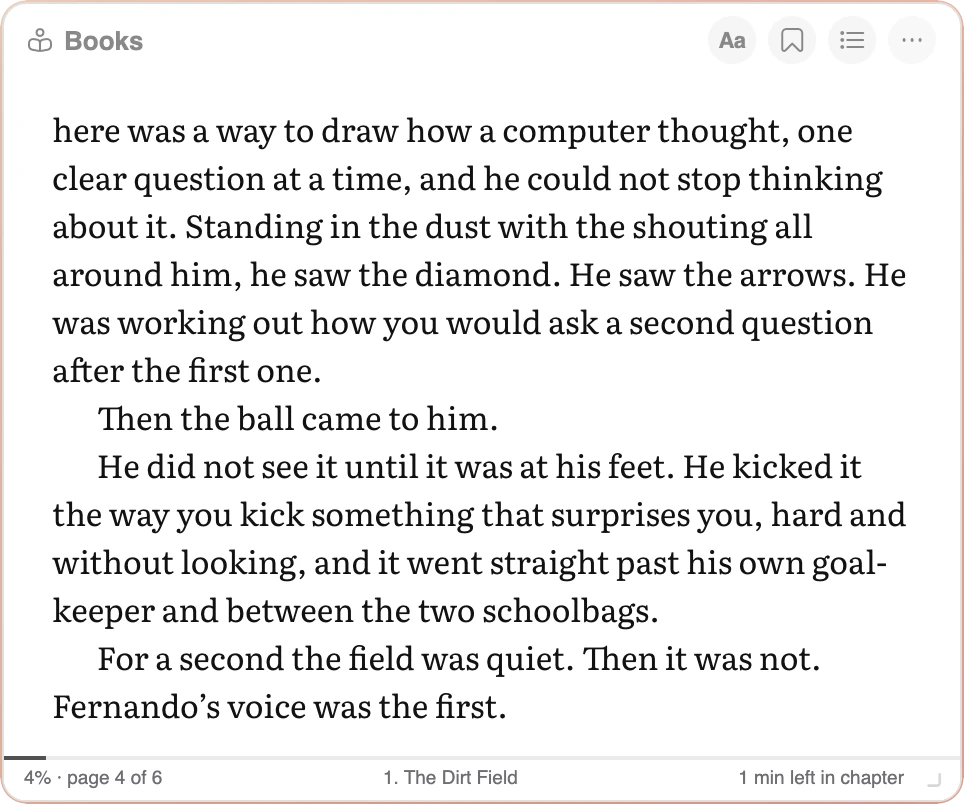
- Time left in the chapter. The footer shows how far you are in the book and how many minutes are left in the chapter, based on your own reading speed.
- Reading stats. Minutes and pages today, this week, your daily streak and your best streak, words read, books finished and the hour you read the most.
The last page: leave a note for me
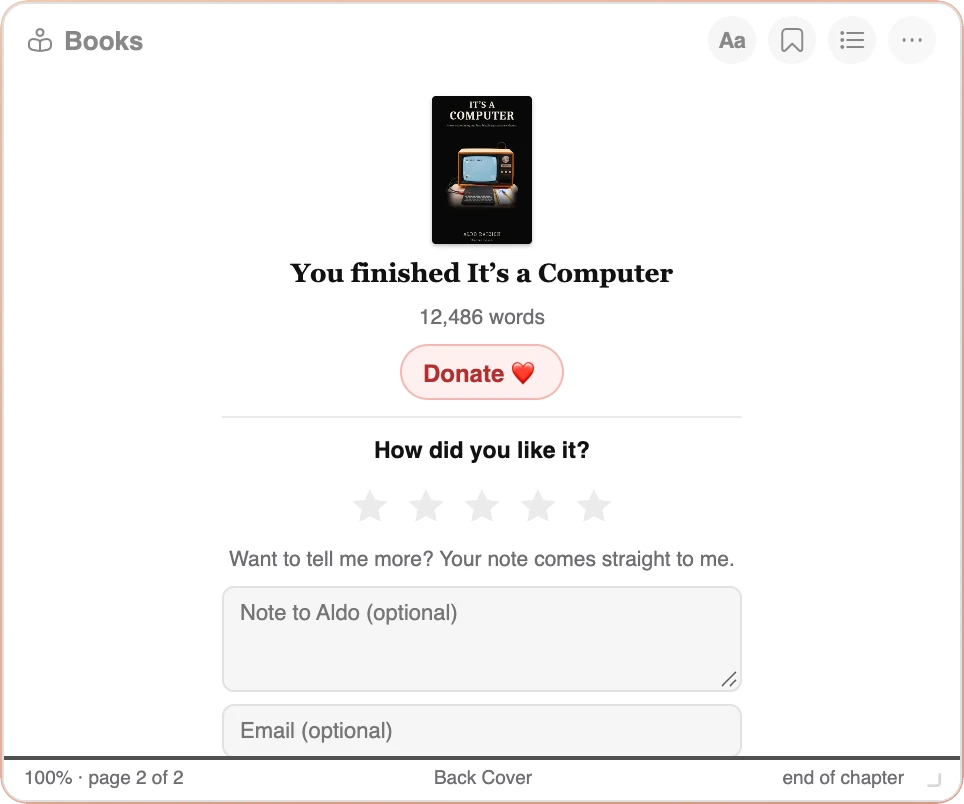
When you reach the end of any book, the Books widget shows a finish screen with the cover, the number of words you read, your reading streak when you have one, and a Donate button if you want to support Cute Desk App.
On It's a Computer, the finish screen also asks how you liked it. Choose one to five stars, write me a note if you want, add your email if you would like an answer, and press Send. Your rating and your note come straight to me, and I read every one.
Tips for reading between tabs
- Leave the Books widget open on your desk. Then the book is waiting on every new browser tab, at the page where you stopped.
- Make the window bigger, not the text. Drag the corner of the Books window to make it bigger, and each page shows more text. The letters stay the size you chose, and you turn fewer pages.
- Watch the minutes left. If the footer says 2 minutes left in the chapter, finish it now and start the next one fresh.
- Listen when your eyes are tired. Read aloud reads the book to you and turns the pages by itself.
Start reading It's a Computer
I wrote It's a Computer for anyone who ever felt out of place as a teenager, and for anyone who remembers the first time a computer did exactly what they told it to do. Here is how to start reading it on your browser start page:
- Install the free Cute Desk App extension with one of the buttons below: the Chrome extension from the Chrome Web Store, or the Safari extension from the Apple App Store. Microsoft Edge can use the Chrome extension.
- Open a new browser tab. Your Cute Desk App desk opens.
- Open the Books widget. Click the Widgets button, the one with four squares near the right end of the dock at the bottom of the page, and choose Books.
- Choose Try a sample: It's a Computer. The book opens on the first page.
- Read a few pages, then close the tab. The next new browser tab opens the book at the same page.
Free. Everything stays on your computer. No account needed.
Want to see it first? Open the Books widget in this browser tab, no install needed. You can also read It's a Computer on its own at books.aldos.life, my free reader that also works on a phone.
If you read the book, I would love to hear what you think. Leave a note for me on the last page, or tell me through the Help page.
 Aldo
Aldo
The photograph of the Sinclair ZX81 inside the book is by Evan-Amos, CC BY-SA 3.0. Anthropic and Claude are trademarks of Anthropic PBC. Microsoft Edge is a trademark of Microsoft Corporation, and Mac is a trademark of Apple Inc. Cute Desk App is made by me and is not affiliated with any of them.