The Architecture of Cute Desk App

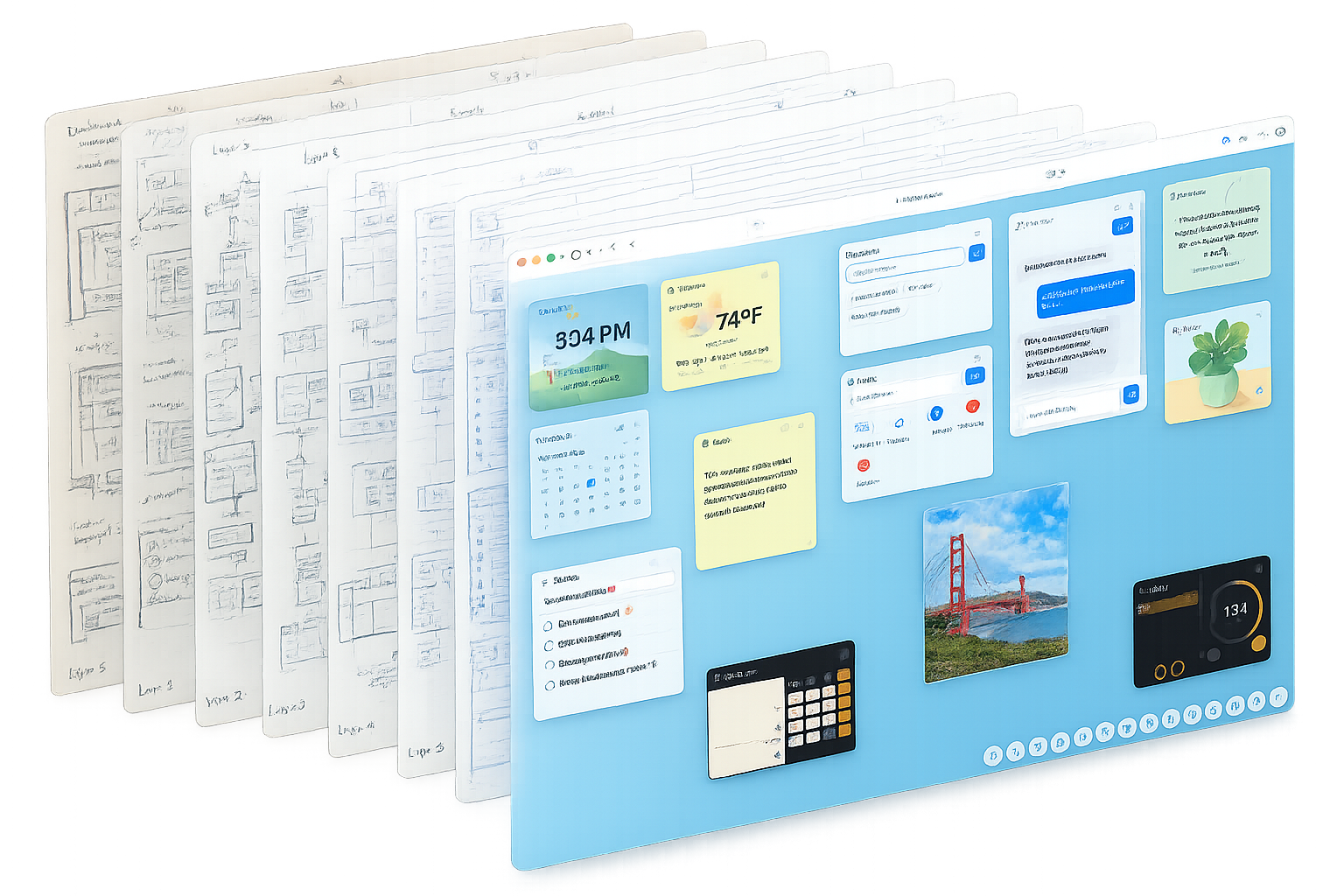
Cute Desk App desktop mockup showing multiple floating widget windows — clock, weather, notes, calendar, and chatbot — on a soft gradient background
KEY TAKEAWAYS
  • Zero frameworks — Cute Desk App is built with vanilla JavaScript, HTML, and CSS. No React, no Vue, no build step.
  • 22 widgets, each an ES Module, all managed by a single app.js core framework.
  • 6 widget rendering types — from simple static HTML to real-time Canvas games at 60fps.
  • All data lives in the browser — localStorage, IndexedDB, and Service Worker cache. No user accounts, no data leaks.
  • Built with Claude as an AI coding partner inside the Cursor IDE.

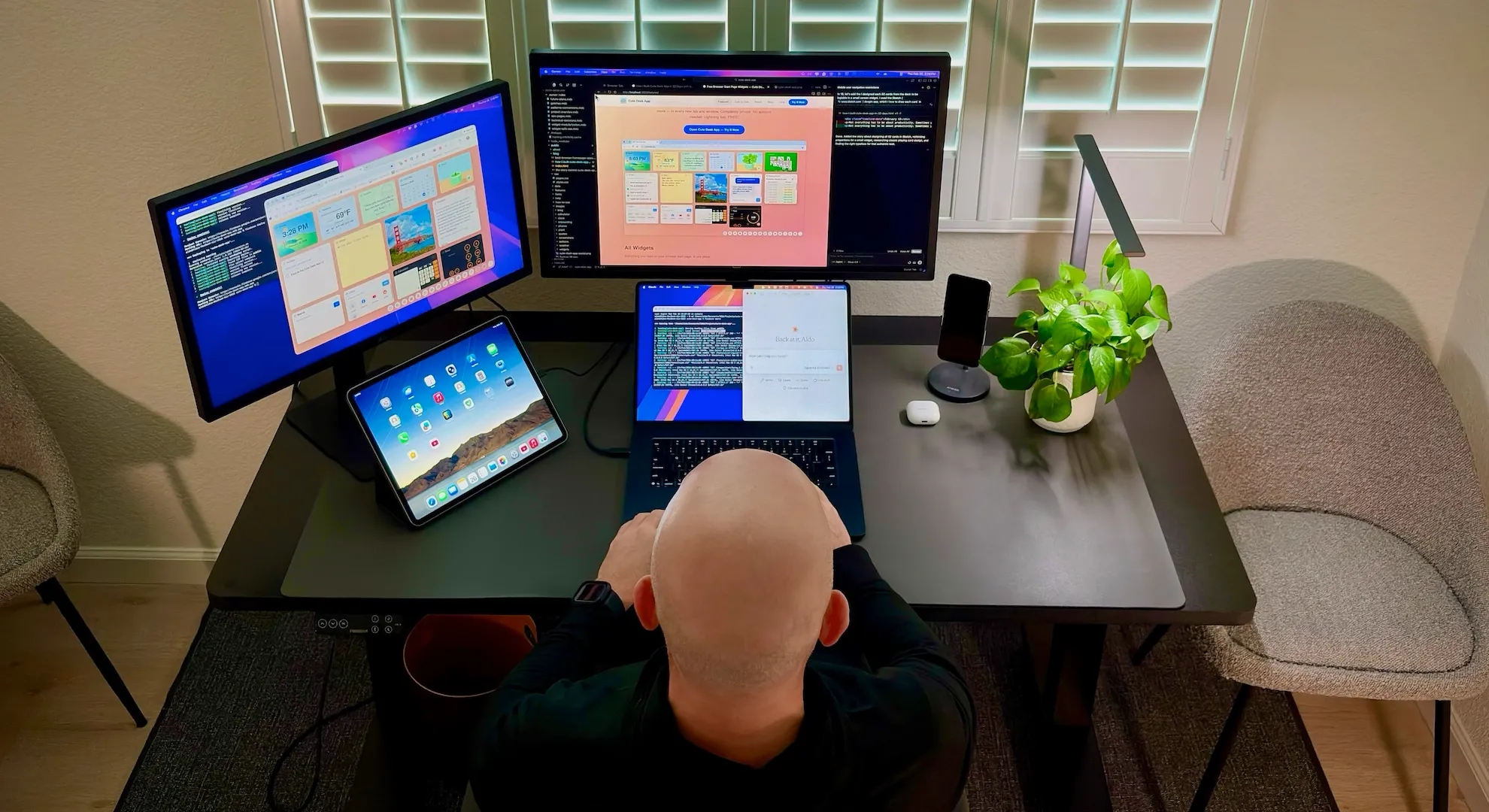
People sometimes ask me: how does Cute Desk App actually work? It looks like a desktop operating system — windows you can drag, resize, and rearrange, a dock at the bottom, widgets that persist your data between sessions. But there's no Electron, no React, no server. It's a browser tab.

I built the whole thing with Cursor and Anthropic's Claude as my coding partner. Every architectural decision — from the widget registry to the state management pattern to how Canvas games pause when you switch tabs — came from conversations between me and Claude, then translated directly into code. It's one of the most technically interesting things I've built, and I wanted to share exactly how it works.

Below is the full architecture diagram. Every service, every module, every widget type. Scroll through it — if you're a developer, I think you'll find the patterns here genuinely useful, even outside of Cute Desk App.

WANT TO GO DEEPER?
Hey — do you want to see how everything works under the hood? The diagram below shows the complete architecture of Cute Desk App: every layer, every widget, every data flow. This is exactly how I build Cute Desk App with help from Claude. Scroll through it and explore the lifecycle flow. Whether you're a developer curious about the patterns or just someone who loves knowing how things work — this one is for you.
ENJOYING WHAT YOU'RE LEARNING?
If you like what you're learning here and want to support the project, consider leaving me a tip. It means a lot and helps me keep building. ❤️
Leave a tip 🤓❤️
BROWSER FIREBASE 🔥 Hosting CDN · HTTPS 📋 Firestore helpRequests ⚙️ Service Worker Cache · Offline 📊 GA4 Analytics 🗃️ IndexedDB Photos (db.js) CORE app.js Core Framework 🪟 Window Manager 💾 State (localStorage) 🚢 Dock Manager 🎛️ Widget Registry 🖱️ Drag & Resize 🎨 Theming & Colors 🌍 i18n.js en·es·fr·de 🗄️ db.js IndexedDB API WIDGETS (22) ① STATIC notes · todo · calc · links · search · photo · meeting · solitaire · pixelart ② REAL-TIME clock · calendar · weather · timer · pomodoro · plant ③ EXTERNAL DATA weather (Open-Meteo) · news (Guardian) · chat (OpenAI) · youtube ④ SCALE DOM solitaire · merge ⑤ CANVAS (rAF) breakout · pixelart LOCAL JSON quotes (bundled JSON) ⑥ SYSTEM widgets (launcher panel) 🛡️ Help Form → Cloudflare Turnstile → write to Firestore Make.com polls daily → Resend email → Aldo's inbox EXT. APIs 🌤️ Open-Meteo 📍 BigDataCloud 📰 Guardian API 🤖 OpenAI ▶️ YouTube 💝 Stripe 🛡️ CF Turnstile
cutedesk.app — widgets float freely, draggable & resizable
Clock
10:42
Notes
Today:
- Buy coffee
- Call team
- Deploy app
Weather
🌤️
72°F
Sunny
To-Dos
☑ Deploy
☐ Write docs
☐ Code review
☐ PR merge
Chatbot
Hi! How can I help you today? Ask me anything...
Calendar
May 2026
16
Saturday
Quotes
"The best time to plant a tree was 20 years ago." — Proverb
News
📰 AI advances reshape industry
📰 New space mission launches
📰 Markets hit record high
Breakout
🎮 ●●●●●
●●●●●
Score: 420
Calculator
1,234
7 8 9 ÷
Plant
🌱
Stage 4
🕐
🌤️
📝
📅
🤖
⏱️
🌱
🎮
•••
Static / Turn-Based
No intervals. Renders once on init; re-renders only on user interaction. Simplest pattern.
notes · todo · calc · links
search · photo · meeting · solitaire
Real-Time (Interval)
Uses setInterval. Starts/stops on show, hide, and page visibility changes to save CPU.
clock (1s) · calendar (60s)
timer (1s) · pomodoro (1s) · plant
External Data + Cache
Fetches from an API, caches in localStorage with a TTL. Serves cache first.
weather (30 min TTL)
news (4 hr TTL) · chat (live)
youtube (embed)
Scale-to-Fit DOM
Fixed logical layout scaled via transform: scale(). ResizeObserver adjusts scale on resize.
solitaire · merge
Scale-to-Fit Canvas
requestAnimationFrame loop. Canvas resolution + transform matrix updated on resize via ResizeObserver.
breakout (rAF 60fps)
pixelart (turn-based canvas)
System Panel
Opens at 600×400, always re-centered to 50% viewport. Acts as a launcher — not a persistent workspace widget.
widgets (launcher panel)
① Static
② Real-Time
③ External Data
④ Scale DOM
⑤ Canvas
⑥ System
🕐
Clock
clock
220 × 180 · always visible
② Real-Time (1s)
🌤️
Weather
weather
220 × 180
② + ③ External
📅
Calendar
calendar
220 × 180
② Real-Time (60s)
💬
Quotes
quotes
220 × 180
① Local JSON
🌱
Plant
plant
220 × 180
② Real-Time (daily)
📝
Notes
notes
280 × 280
① Static
To-Dos
todo
280 × 280
① Static
🖼️
Photos
photo
280 × 280
① Static + IndexedDB
🤖
Chatbot
chat
280 × 280
③ External (OpenAI)
🔍
Search
search
280 × 180
① Static
🔗
Links
links
280 × 180
① Static
🧮
Calculator
calc
280 × 180
① Static
⏱️
Timer
timer
280 × 180
② Real-Time (1s)
🍅
Pomodoro
pomodoro
280 × 180
② Real-Time (1s)
🌍
Meeting Planner
meeting
280 × 280
① Static (timezone)
📰
News
news
280 × 280
③ External (Guardian)
▶️
YouTube
youtube
220 × 180
③ External (embed)
🃏
Solitaire
solitaire
220 × 220
④ Scale DOM
🎮
Breakout
breakout
220 × 180
⑤ Canvas rAF
🔢
Merge
merge
220 × 220
④ Scale DOM
🎨
Pixel Art
pixelart
280 × 280
⑤ Canvas (turn-based)
🔲
Widgets
widgets
600 × 400 · centered
⑥ System Launcher
app.js
The heart of the app. Handles window management, state, dock, drag/resize, lifecycle, and widget registry.
statesaveStateregisterWidgettoggleWidgetrenderDockwindowElementsescapeHtmlWIDGET_COLORS
i18n.js
Internationalization. No external libs. Supports en · es · fr · de. Detects locale from URL param → localStorage → navigator.
t(key)getLocale()setLocale()SUPPORTED_LOCALES
db.js
IndexedDB helpers for the Photo widget. Stores compressed JPEG images locally — no server upload required.
savePhoto()getPhoto()deletePhoto()
sw.js
Service Worker. Precaches all critical assets for offline support. Version controlled via version.json to bust stale caches.
CACHE_VERSIONPRECACHE_URLSinstall eventfetch event
pages-analytics.js
GA4 analytics for marketing pages. Separate from the app's inline analytics in index.html.
trackPageView()
widgets/*.js
22 ES Modules, one per widget. Each calls registerWidget(id, descriptor) to hook into the core framework.
initonShowonHideonPageHiddenonPageVisible
id="window-{widgetId}"
1
2
3
4
📅Calendar
May 2026
SMTWTFS 1 2345678 9101112131415 16
1
Titlebar.window-titlebar

Draggable handle. Contains icon, title, and the ••• options menu. Height 36px. Transparent by default — shows the widget's background color through it.

2
Options Menu.window-menu-popup

Appended to document.body to escape overflow:hidden and backdrop-filter clipping. Contains color picker, Reset Size, and widget-specific actions.

3
Content Area#content-{id}

Widget fills this div. On load, shows a shimmer skeleton. The widget's init() replaces innerHTML to dismiss it.

4
Resize Handle.window-resize-handle

Bottom-right corner. Enforces per-widget MIN_WIDGET_SIZES. Saves new size to state.windows[id] on mouse/touch up.

Key
desktopWidgets.v1
(localStorage)
Persistence
300ms debounce
saveState()
saveStateImmediate()
Cross-Tab Sync
storage event
→ re-renders
widget content only
state.windows
id · x · y · w · h
bgColor · defaultW
defaultH
state (top-level)
focusedWindowId
topZIndex
pageBackground
hiddenWidgets[]
dockOrder[]
state.widgets
notes.text
todos.items[]
weather.location
chat.messages[]
photo.images[]
timer.timers[]
Window Manager
reads windows{}
→ CSS position
→ CSS size
→ z-index
→ bgColor
Widget Modules
read state.widgets
→ render HTML
→ mutate on event
→ saveState()
Dock
reads hiddenWidgets
reads dockOrder
→ active / inactive
icons
Separate Keys
cute-desk-news-cache
cute-desk-quotes-cache
cute-desk-chat-key
cute-desk-consent
(own TTL / lifecycle)
IndexedDB
photo images
compressed JPEG
db.js helpers
separate from
localStorage
Boot
loadState()
Read from localStorage or generate default state. Run schema migrations for returning users.
Render
renderAll()
Set page background. Create DOM window for each visible widget. Apply saved positions.
Init
init()
Widget fills #content-{id}. Attaches events. Starts intervals (real-time) or fetches data (external).
Show / Hide
toggleWidget()
onShow → start intervals.
onHide → stop intervals, remove DOM.
Tab Visibility
visibilitychange
onPageHidden → pause all intervals & rAF loops.
onPageVisible → resume + check stale data.
Cross-Tab
storage event
Another tab changed state → sync state.widgets → re-render affected widgets.
public/ ├── index.html ← Minimal shell: #desktop div + dock + menu ├── js/ │ ├── app.js ← Core framework (window mgr · state · dock · drag) │ ├── i18n.js ← Localization: t() · en · es · fr · de │ ├── db.js ← IndexedDB helpers for photo widget │ ├── pages-analytics.js ← GA4 for marketing pages │ └── widgets/ ← 22 ES Modules, one per widget │ ├── clock.js ← Type ② · 220×180 │ ├── weather.js ← Type ②③ · 220×180 · Open-Meteo │ ├── calendar.js ← Type ② · 220×180 │ ├── quotes.js ← Type ① · 220×180 · local JSON │ ├── plant.js ← Type ② · 220×180 · daily check │ ├── notes.js ← Type ① · 280×280 · simplest widget │ ├── todo.js ← Type ① · 280×280 │ ├── photo.js ← Type ① · 280×280 · IndexedDB │ ├── chat.js ← Type ③ · 280×280 · OpenAI (user key) │ ├── search.js ← Type ① · 280×180 │ ├── links.js ← Type ① · 280×180 │ ├── calc.js ← Type ① · 280×180 │ ├── timer.js ← Type ② · 280×180 │ ├── pomodoro.js ← Type ② · 280×180 │ ├── meeting.js ← Type ① · 280×280 · timezone math │ ├── news.js ← Type ③ · 280×280 · Guardian API │ ├── youtube.js ← Type ③ · 220×180 · embed │ ├── solitaire.js ← Type ④ · 220×220 · Scale DOM │ ├── breakout.js ← Type ⑤ · 220×180 · Canvas rAF 60fps │ ├── merge.js ← Type ④ · 220×220 · Scale DOM │ ├── pixelart.js ← Type ⑤ · 280×280 · Canvas turn-based │ └── widgets.js ← Type ⑥ · 600×400 · Launcher panel ├── css/ │ └── styles.css ← All styles (one file, scoped per widget) ├── data/ │ ├── inspirational_quotes.json │ ├── version.json ← bumped on every deploy │ └── locales/ ← en.json · es.json · fr.json · de.json ├── images/ ← Widget assets, solitaire cards, clock backgrounds │ └── pixelart/ ← SVG stamp library ├── sw.js ← Service Worker · CACHE_VERSION · precache all assets └── help/ about/ blog/ features/ … ← Marketing pages
🏠
Landing Page
/
Features
/features/
📖
Blog
/blog/
ℹ️
About
/about/
Help / Contact
/help/
📱
Mobile Page
/mobile/
🔒
Privacy Policy
/privacy/
📜
Terms of Service
/terms/
📋
How To Use
/how-to-use/
🧩
Widget Pages
/widgets/{id}.html
🚫
404 Page
/404.html

If you have questions about how any of this works, or want to dig deeper into a specific pattern — the Canvas scaling math, the state migration system, how the options menu escapes backdrop-filter — feel free to reach out via the help page. I genuinely love talking about this stuff.

Aldo Aldo

More from the blog

Try Cute Desk App for free

Tons of widgets. No account. Total privacy. Open it now and make your start page yours.

Open Cute Desk App

Are you enjoying the Cute Desk App? Support me by leaving a tip ❤️

Leave a tip 🤓❤️