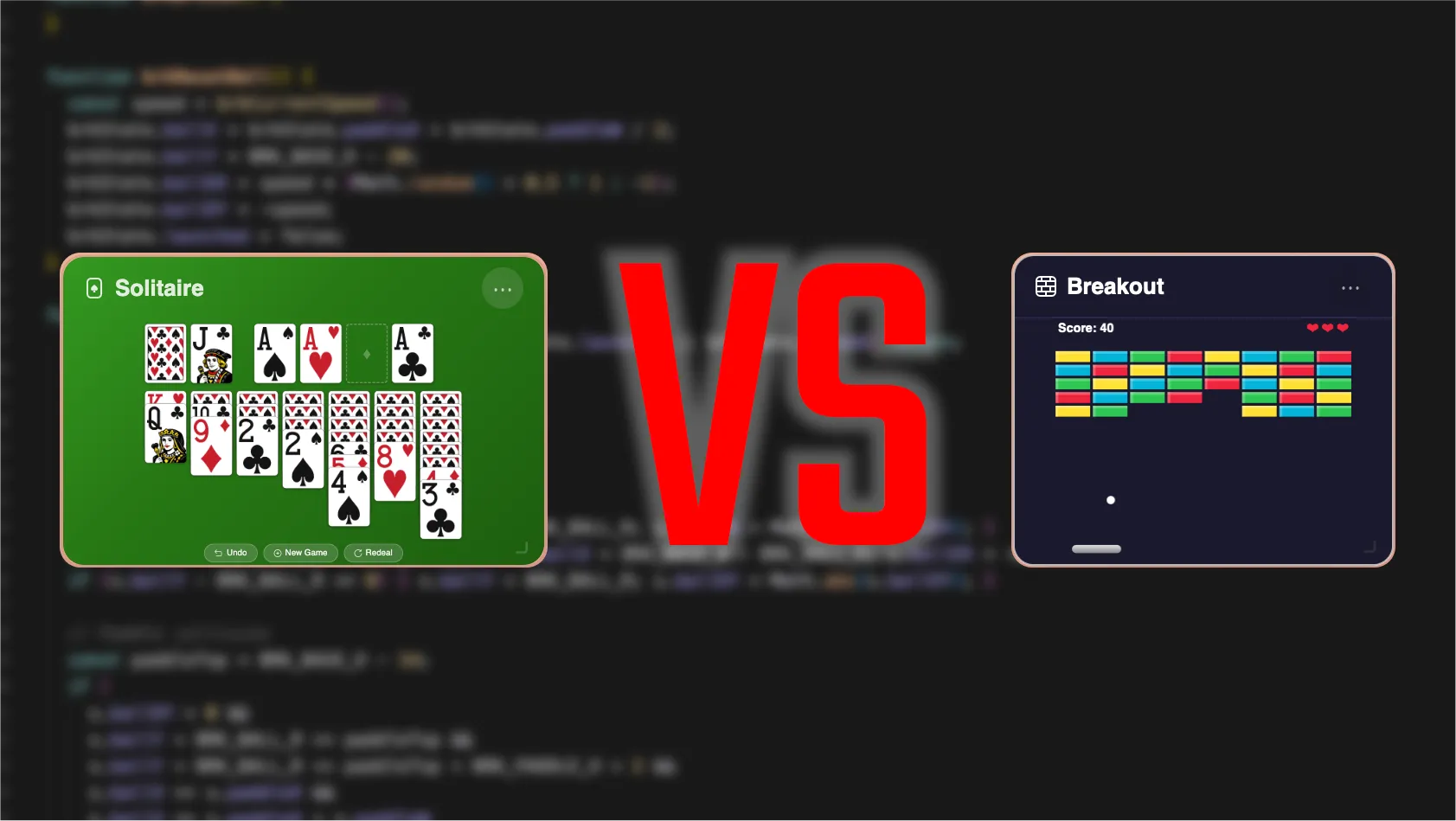
- Solitaire uses DOM elements (HTML divs + PNG images); Breakout uses Canvas 2D (programmatic drawing).
- DOM is ideal for card and board games — discrete states, drag-and-drop, CSS transitions come for free.
- Canvas is ideal for arcade and real-time games — continuous motion, per-frame updates, and physics.
- Both games are built with vanilla JavaScript only — no frameworks, no game engines, no external libraries.
- Both live inside the same widget framework — the rendering technique is an internal choice that doesn't affect the rest of the app.
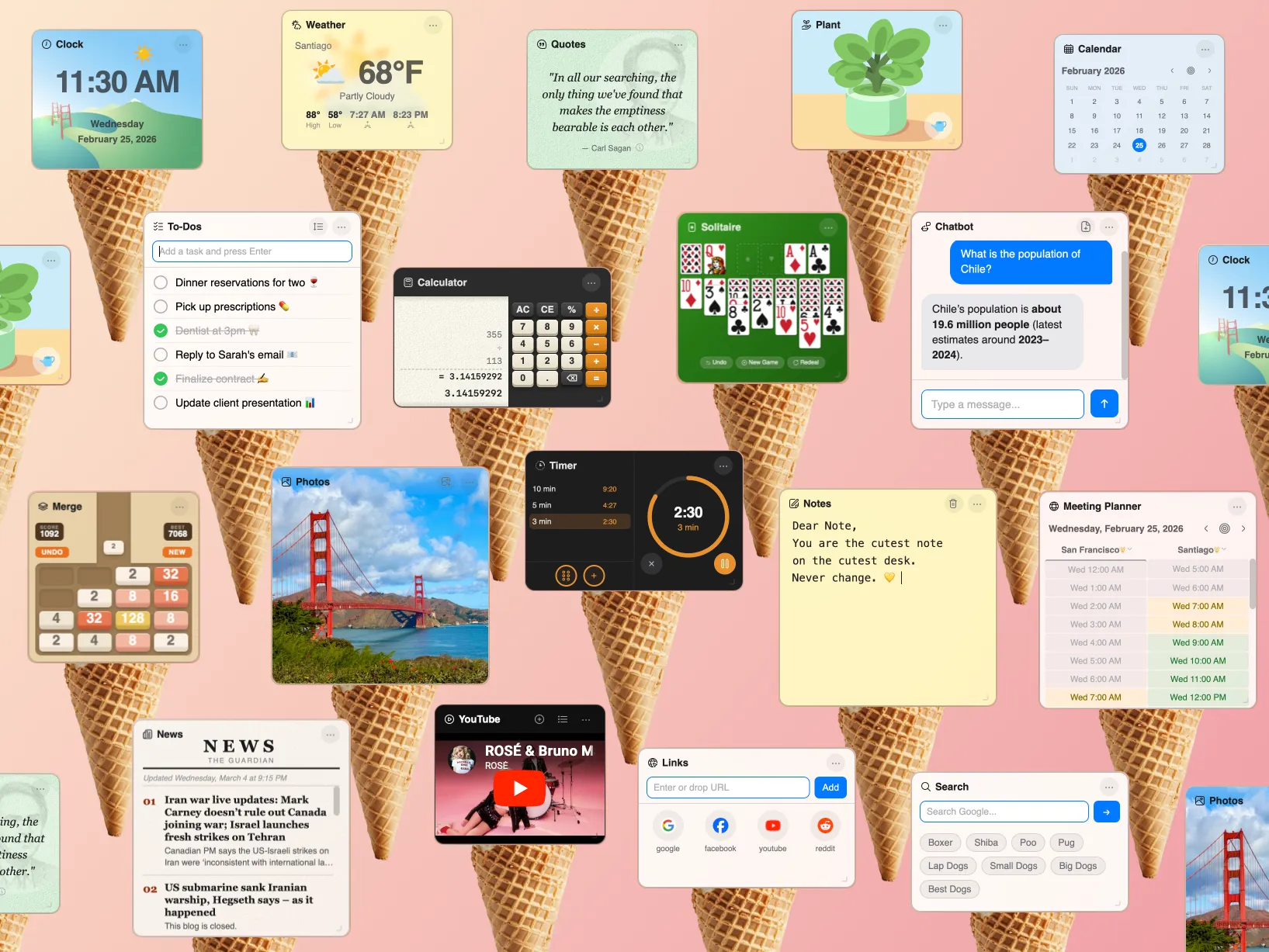
Cute Desk App now has two games you can play right on your browser start page: Solitaire and Breakout. They're both small widgets that live alongside your clock, weather, notes, and other tools. They look like they belong together. But under the hood, they use completely different rendering techniques — and for good reason.
Solitaire is built with the DOM. Breakout is built with Canvas 2D. This wasn't an accident — each technique was chosen because it's the right tool for that specific type of game. I built both with Cursor and Anthropic's Claude as my AI coding partner. In this post, I'll walk through exactly how each game works, why I made these choices, and when you should use one technique over the other.
How Does Browser Solitaire Work?
Solitaire is a card game. Cards have two states: face up or face down. They sit in piles. You drag them from one pile to another. Nothing moves on its own — the game only changes when you make a move. This is a textbook case for DOM-based rendering.
Every card in the Solitaire widget is a real HTML element — a <div> containing an <img> tag that displays a PNG of the card face or back. I designed all fifty-two card images in Sketch, paying attention to proportions and legibility at small widget sizes. The cards aren't generic — they were designed specifically for a tiny game window.
Event-driven updates, not a game loop. There's no requestAnimationFrame ticking away in the background. The game re-renders only when something changes: when you drag a card, draw from the stock, or undo a move. The render function (solRenderGame()) rebuilds the card HTML and drops it into the DOM. Between moves, the CPU cost is exactly zero.
Drag-and-drop with pointer events. Card dragging uses the browser's native pointer event system — pointerdown, pointermove, pointerup. When you pick up a card, a ghost element follows your cursor with the stack of cards you're moving. When you drop, the game validates the move against Klondike rules and either accepts it or snaps the cards back. This is something the DOM gives you almost for free — pointer capture, hit testing on real elements, natural event bubbling.
CSS scaling for responsive sizing. Solitaire's game board is designed at a fixed base width of 463 pixels. When the widget is resized, a CSS transform: scale() on the wrapper element scales the entire board proportionally. A ResizeObserver recalculates the scale factor whenever the widget changes size. This approach means the card layout code never needs to think about the actual pixel dimensions — it always works in the base coordinate space.
Full state persistence. Every aspect of the game — the seven tableau columns, the stock pile, the waste pile, the four foundation piles, and a 50-move undo stack — is serialized to localStorage after each move. Close your browser, come back tomorrow, and your game is exactly where you left it.
How Does Browser Breakout Work?
Breakout is an arcade game. A ball moves continuously. It bounces off walls, smashes through bricks, and ricochets off your paddle. Everything is in motion at all times. This is a textbook case for Canvas 2D rendering.
Nothing in Breakout is an HTML element. The bricks, the paddle, the ball, the score display, the lives indicator — all of it is drawn programmatically onto a <canvas> element using the Canvas 2D API. Bricks are fillRect calls. The ball is an arc. The paddle is a roundRect. The HUD text uses fillText. No images, no DOM nodes, no CSS.
A continuous game loop. Breakout runs a requestAnimationFrame loop that fires roughly 60 times per second. Each frame has two steps: brkUpdate() moves the ball, checks for collisions with bricks and walls, and updates the score; then brkDraw() clears the canvas and redraws everything from scratch. This update-then-draw loop is the standard pattern for real-time games and the reason Canvas exists — you need per-frame control over every pixel.
Physics and collision detection. The ball has a velocity vector (dx, dy) that's applied every frame. When it hits a brick, the game checks which edge was penetrated and reflects the velocity accordingly. Speed increases by 2.5% with each brick hit, capped at 2x the base speed. After a paddle bounce, the ball's angle varies depending on where it hits the paddle — center hits go straight up, edge hits go at steeper angles. This kind of per-frame physics simulation is natural in Canvas but would be awkward and expensive in the DOM.
Retina-aware scaling. The game logic operates in a fixed 220×180 coordinate space, but the canvas renders at the device's actual pixel density using devicePixelRatio. The trick is ctx.setTransform(scale * dpr, ...) — this lets all the drawing code use logical coordinates while the canvas outputs crisp pixels on high-DPI screens. Input coordinates are divided by the scale factor so mouse and touch positions map correctly back to game space.
Lightweight persistence. Unlike Solitaire, Breakout doesn't save game state — a Breakout round is short and ephemeral. The only thing persisted is your high score, stored in localStorage. The game also pauses automatically when the widget loses focus or the browser tab is hidden, saving CPU cycles.
Canvas vs DOM: How Do They Compare?
| Aspect | Solitaire (DOM) | Breakout (Canvas) |
|---|---|---|
| Rendering | HTML elements + PNG images | Programmatic drawing (fillRect, arc) |
| Update model | Event-driven — re-renders on state change | Continuous loop at ~60fps |
| Input | Pointer events with drag-and-drop | Mouse/touch delta + keyboard |
| Scaling | CSS transform: scale() | ctx.setTransform() + devicePixelRatio |
| Persistence | Full game state + 50-move undo | High score only |
| External assets | 52 card PNGs + back image | None — everything is drawn |
| CPU at rest | Zero — no loop running | Near-zero — loop pauses when inactive |
| Best for | Card games, board games, puzzles | Arcade games, physics, real-time action |
The core difference comes down to how often things change. In Solitaire, the screen is static until the player acts — the DOM handles this naturally because elements just sit there between interactions. In Breakout, the screen changes every 16 milliseconds — Canvas handles this naturally because it redraws from scratch every frame.
When Should You Use Canvas vs DOM for Browser Games?
Use DOM when your game has discrete states and the player drives every change. Card games, board games, match-three puzzles, word games — anything where the screen is mostly static and updates are triggered by player actions. You get drag-and-drop, CSS animations, text rendering, accessibility, and hit testing essentially for free. The browser's layout engine does the heavy lifting.
Use Canvas when your game has continuous motion and needs per-frame control. Arcade games, platformers, shooters, physics simulations — anything where objects move independently of player input and the screen redraws every frame. Canvas gives you direct pixel access, efficient batch rendering, and total control over the draw order. There's no DOM overhead, no reflow, no layout recalculation.
There's a grey area too. A chess game with animated piece movement could go either way. A tower defense game with both a static grid and moving enemies might use DOM for the UI and Canvas for the action layer. The key question is: does your game need a continuous render loop? If yes, Canvas. If no, DOM is simpler and gives you more browser features for free.
Can You Build Browser Games with Just HTML, CSS, and JavaScript?
Yes — and both of these games prove it. Solitaire and Breakout in Cute Desk App use zero external libraries. No Phaser, no PixiJS, no Three.js, no React. Just vanilla JavaScript with either DOM APIs or the Canvas 2D API that every modern browser includes natively.
Both games also live inside Cute Desk App's widget framework, which handles the window chrome (title bar, resize handles, drag-to-move), state persistence, and lifecycle management (pausing when the tab is hidden, saving when the widget closes). The widget system doesn't know or care whether the game inside is DOM-based or Canvas-based — it just provides a content div, and the game fills it however it wants. That separation is what makes it possible to have two fundamentally different rendering approaches coexisting in the same app.
If you want to try both games, open Cute Desk App — they're free, private, and run entirely in your browser. Solitaire is in the dock by default. Breakout is available from the Widgets panel.
 Aldo
Aldo