Why Customize Your Browser Start Page?
Every time you open your browser or launch a new tab, you see the same default page — a search bar and maybe some frequently visited sites. It works, but it wastes an opportunity. Your browser start page is the screen you see more than almost anything else on your computer. Why not make it useful?
A custom start page can put your calendar, notes, weather, and favorite tools front and center. Instead of navigating to three different sites to check the time in another city, glance at your to-do list, and see today's forecast, you get everything in one place the moment your browser opens.
The best start page apps share a few key qualities: they load fast, they respect your privacy, they give you room to customize, and they don't charge you for basic functionality. In this guide I compare the top options available in 2026 so you can find the right fit.
What to Look for in a Start Page App
Before diving into specific apps, here's what matters most when choosing a browser start page:
- Privacy — Does the app store data locally, or does it send your information to a server? Start page apps see everything you do first thing in the morning. You want one that keeps your data on your machine.
- Speed — A start page that takes three seconds to load defeats the purpose. Look for apps that cache aggressively and render instantly, even offline.
- Customization — Can you choose which widgets appear, where they sit, and how they look? The best start pages adapt to you, not the other way around.
- Free to use — Some apps lock useful features behind a paywall. The best ones give you everything up front without requiring a subscription or even an account.
The Best Browser Start Page Apps
I tested dozens of start page replacements and new tab extensions. Here are the five that stood out in 2026.
1. Cute Desk App
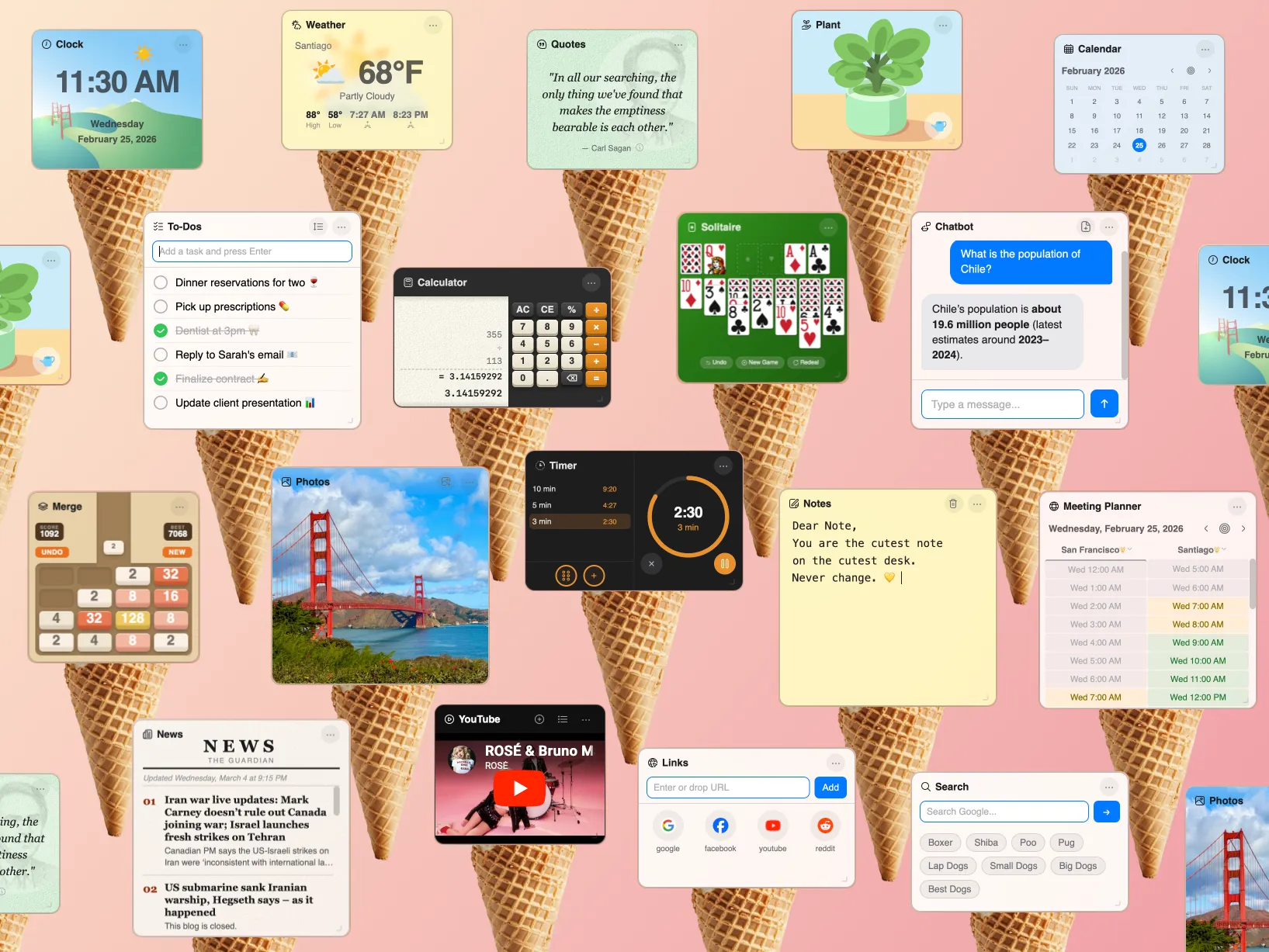
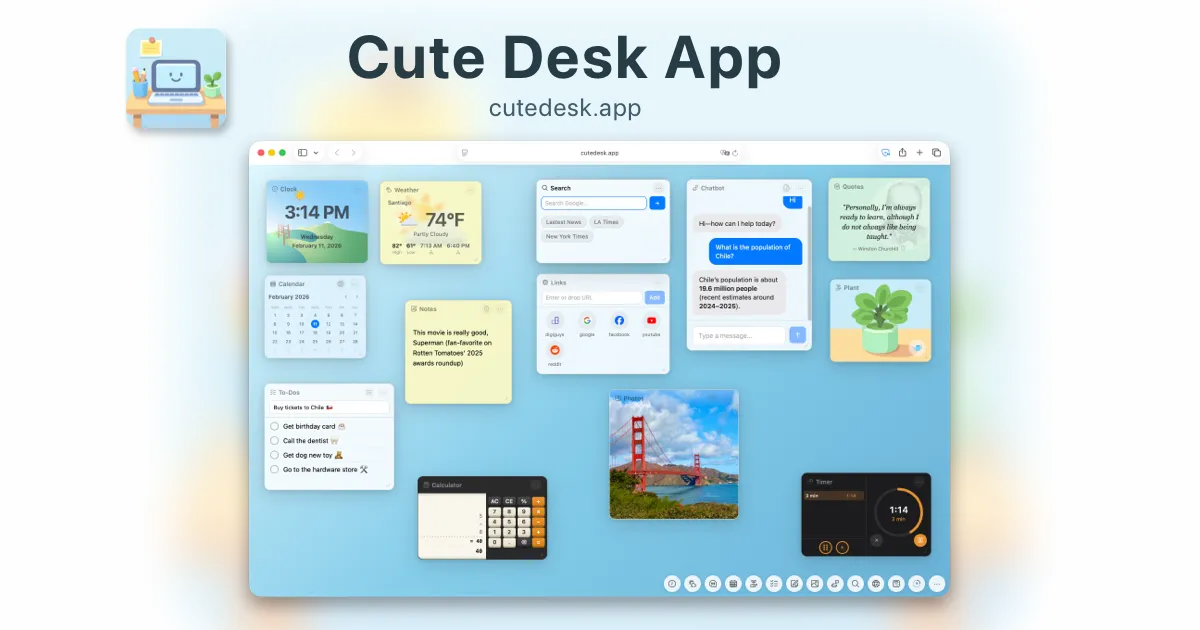
Cute Desk App is a free browser start page that turns your new tab into a personal desktop packed with widgets. It comes with 15 built-in widgets including a clock, weather, notes, to-do list, calculator, calendar, world clock, pomodoro timer, habit tracker, bookmarks, meeting planner, and even an AI chatbot that connects to your own OpenAI API key.
What sets Cute Desk App apart is its philosophy: everything runs in the browser, everything is stored locally, and everything is free. There's no account to create, no data sent to a server, and no premium tier hiding the best features. You can drag and resize widgets, change background colors and gradients, reorder the dock, and hide anything you don't need.
The app works offline thanks to service worker caching, loads nearly instantly, and looks polished on any screen size from a laptop to a wide monitor. If you want a start page that genuinely replaces the handful of productivity tabs you normally keep open, Cute Desk App is the strongest choice in 2026.
2. Momentum
Momentum is one of the most popular new tab extensions and it's easy to see why. It greets you with a beautiful full-screen background photo, a motivational quote, and a central focus question that asks what your main goal for the day is. The free version includes a to-do list, weather, and a clock.
The downside is that many of the more useful features — custom backgrounds, integrations with third-party apps, and extra widgets — require Momentum Plus, a paid subscription. If you only need a calm, focused start page and don't mind the limitations, Momentum is a solid option. If you want full customization without paying, look elsewhere.
3. Start.me
Start.me takes a different approach. It's a bookmarks-and-feeds dashboard that lets you organize links, RSS feeds, and widgets into columns. It's great for information workers who follow dozens of sources and want them aggregated on a single page.
The trade-off is complexity. Start.me requires an account, stores your data on its servers, and has a steeper learning curve than a simple widget desktop. The free plan limits the number of pages you can create, and the interface feels more utilitarian than beautiful.
4. Tabliss
Tabliss is a minimalist new tab extension with a focus on aesthetics. It shows a beautiful background image (from Unsplash or other sources) and overlays a clock, greeting, or quick links. It's open source, doesn't require an account, and loads quickly.
Where Tabliss falls short is widget depth. It's deliberately simple — you won't find a notes widget, a to-do list, a calculator, or a calendar. If all you want is a pretty background with the time, Tabliss nails it. If you want a productive start page, you'll need something with more tools.
5. Homey
Homey is a straightforward start page that replaces your new tab with a clean layout featuring a clock, date, greeting, and bookmarks. It aims for simplicity and delivers it. There's no clutter, no sign-up, and it loads fast.
The limitation is that Homey offers very basic features. There's no weather widget, no notes, no calendar integration, and limited customization. It's a good fit if you want the bare minimum and nothing more.
How to Set Your Start Page
Once you've picked an app, setting it as your browser start page takes less than a minute. I've written a detailed step-by-step guide for Chrome and Safari — check out my How to Set Cute Desk App as Your Start Page page for screenshots and instructions.
The Verdict
If you want the most complete, free, and private browser start page in 2026, Cute Desk App is the best option. It packs more widgets than any competitor, stores everything locally, requires no account, and works beautifully out of the box. Momentum is a solid runner-up if you prefer a photo-focused start page, and Tabliss is worth a look if minimalism is your priority.
Whatever you choose, replacing your default browser start page is one of the easiest productivity upgrades you can make. You see that page dozens of times a day — make it count.